

Light Your Screen Without Lighting Up Your Eyes
Immersive Setup / Pro Aesthetics / Ambient Control
The Atmosphere Defined
Elevate your space from a simple desk to an immersive sanctuary.
Zero Desk Space Used
Clips directly onto your monitor bezel, freeing up desk space a standard lamp would take.
Sits On Top, Not In the Way
The gravity mount balances on your monitor's top edge, so there's no clamp, no grommet hole, and no desk space lost.
Stepless Dimming, No Guesswork
Touch-and-slide dimming lets you land on the exact brightness instead of cycling through fixed levels.
Built for Long Sessions
Anti-blue-light, flicker-free output is designed for hours of screen time without eye strain.
Works Across Monitor Sizes
The asymmetric beam is shaped to spread evenly whether your screen is 24 inches or ultrawide.
Zero Desk Space Used
Clips directly onto your monitor bezel, freeing up desk space a standard lamp would take.
Sits On Top, Not In the Way
The gravity mount balances on your monitor's top edge, so there's no clamp, no grommet hole, and no desk space lost.
Stepless Dimming, No Guesswork
Touch-and-slide dimming lets you land on the exact brightness instead of cycling through fixed levels.
Built for Long Sessions
Anti-blue-light, flicker-free output is designed for hours of screen time without eye strain.
Works Across Monitor Sizes
The asymmetric beam is shaped to spread evenly whether your screen is 24 inches or ultrawide.
Premium Materials / Durability / Quality Assured
Crafted with Precision
Sits Without Screws or Clamps
The gravity-balanced mount rests on your monitor's top edge using its own weight, nothing to tighten.
Touch to Dim, No Menus
A touch-sensitive strip lets you slide brightness up or down without cycling through fixed steps.
Cable Tucks in Behind the Screen
The USB-C cable routes down behind your monitor, out of view from the front.
Compatibility / Dimensions / Technical Insight
The Specs That Matter
| Screen Size Compatibility | Fits most monitors via gravity mount |
|---|---|
| Light Output | Asymmetric beam, stepless touch dimming |
| Mounting Type | Gravity-balanced clip, no clamp or screws |
| Eye Protection | Anti-blue-light, flicker-free |
| Power Source | USB-C powered |
| Cable Management | Integrated routing channel |
| Adjustability | Full tilt, swivel, rotate, height |
Live Demo / Setup Inspiration / Quality Check
The Setup in Action
Setup Tips / FAQ / Help Center
Everything You Need to Know
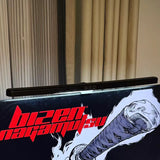
Barra de luz para monitor – Lámpara USB para pantalla de juegos con atenuación continua, luz antiazul y protección ocular sin parpadeos | Luz de escritorio asimétrica para monitores de PC


